Why Every React Native Developer Should Learn TanStack Query

TanStack Query in React Native: The Complete Guide to Better Server State Management
If you've been building React Native applications for a while, chances are you've managed API calls using useEffect, useState, and maybe Axios or Fetch. It works well for small projects, but as your application grows, managing server data becomes increasingly complex.
You end up writing the same loading states, error handling, retry logic, and refresh mechanisms for almost every screen. Before long, your components become cluttered with repetitive code that's difficult to maintain.
This is where TanStack Query completely changes the way you build React Native applications.
Formerly known as React Query, TanStack Query is one of the most powerful libraries for managing server state. It handles data fetching, caching, background synchronization, mutations, retries, and cache invalidation, allowing developers to focus on building features instead of managing network requests.
What is Server State?
Before diving into TanStack Query, it's important to understand the difference between client state and server state.
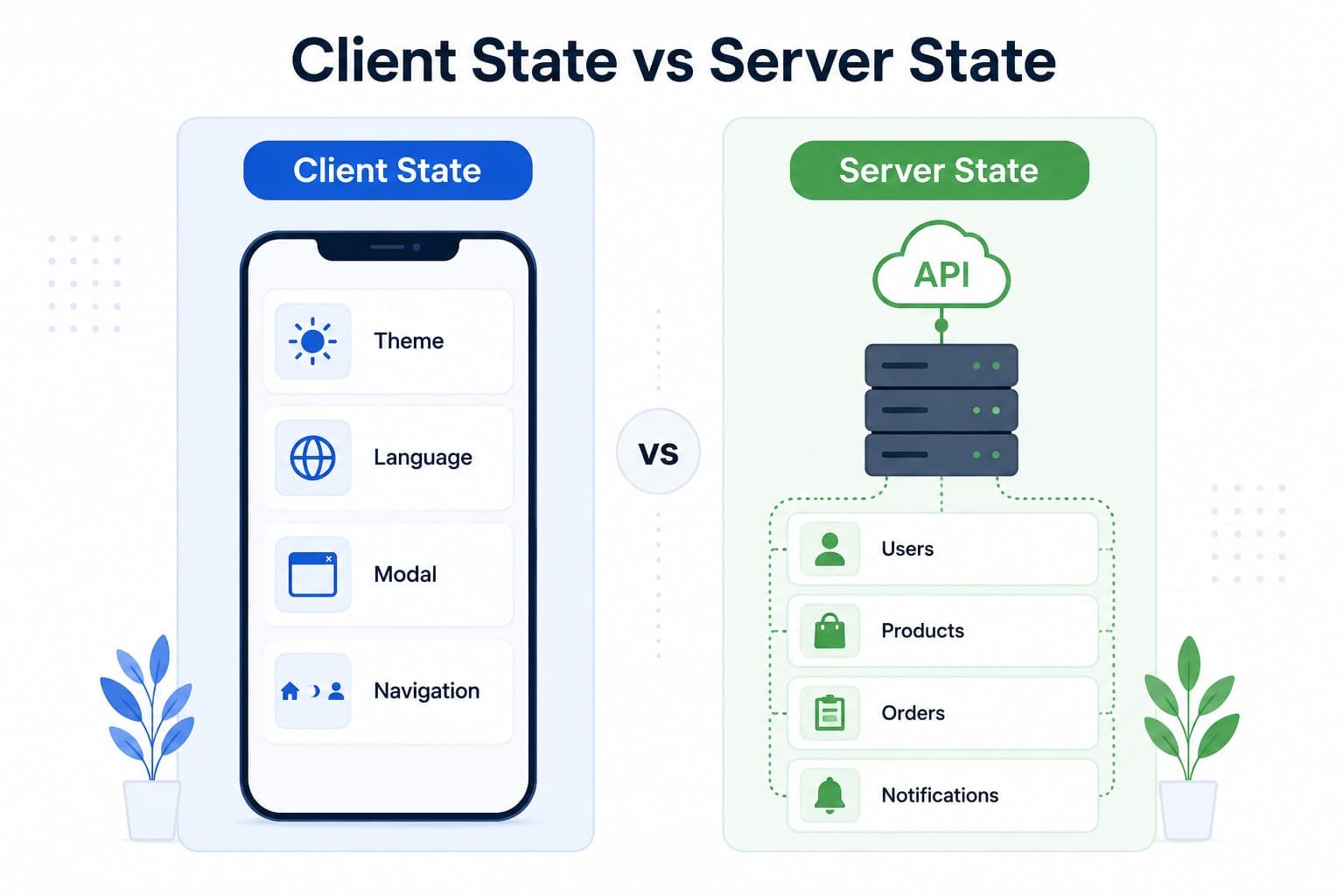
Client state refers to data that exists only within your application. Examples include the current theme, whether a modal is open, the selected language, or the authenticated user's preferences.
Server state, on the other hand, comes from an external source such as a REST API or GraphQL endpoint. This includes user profiles, product lists, notifications, orders, or any data stored on a backend.
Unlike client state, server state can become outdated, may change without your application knowing, and usually requires synchronization with the backend.
Managing this manually quickly becomes complicated.
The Traditional Approach
Most React Native developers begin with something like this:
They create multiple state variables for loading, errors, and fetched data. Then they trigger an API request inside useEffect, update the state when the request completes, and repeat the same logic on every screen.
Although this works initially, it introduces several problems.
Every screen has duplicate logic.
You need to manually manage loading indicators.
Error handling becomes repetitive.
Refreshing data requires additional code.
There is no built-in caching.
The same API may be called multiple times unnecessarily.
As applications scale, these problems become increasingly difficult to manage.
Enter TanStack Query
TanStack Query solves these problems by treating server data as a first-class citizen.
Instead of worrying about when to fetch data, when to cache it, or when to refresh it, you simply describe the data you need.
The library takes care of everything else.
A simple query can replace dozens of lines of boilerplate code while also providing better performance.
Automatic Caching
One of the biggest advantages of TanStack Query is automatic caching.
Imagine you have a Home screen and a Profile screen, both requesting the current user's information.
Without caching, both screens make separate network requests.
With TanStack Query, the first request is cached, and subsequent screens reuse that cached data.
This reduces network traffic, improves responsiveness, and creates a much smoother user experience.
Background Refetching
Caching alone isn't enough because server data changes.
TanStack Query automatically refreshes stale data in the background.
Users continue interacting with the application while the latest information is fetched behind the scenes.
Once the request completes, the UI updates automatically.
This provides fresh data without interrupting the user experience.
Loading and Error States
Managing loading and error states manually quickly becomes repetitive.
TanStack Query provides these states automatically.
Instead of creating multiple pieces of state for every request, you simply receive the current loading status, any error that occurred, and the fetched data.
This significantly reduces component complexity.
Mutations Made Easy
Fetching data is only half the story.
Most applications also need to create, update, or delete data.
Examples include:
Creating a new post
Updating a user profile
Deleting an item
Logging in
Registering a new account
TanStack Query handles these operations through mutations.
Even better, once a mutation succeeds, it can automatically refresh the related queries so your UI always stays synchronized with the backend.
You no longer need to manually refresh screens after every successful API request.
Smart Cache Invalidation
Keeping the UI synchronized with backend changes is often one of the most frustrating parts of application development.
Imagine updating a user's profile.
Normally, you would need to manually fetch the updated profile again.
With TanStack Query, you simply invalidate the corresponding query after the update succeeds.
The library automatically fetches the latest data and updates every screen using that query.
The result is a consistent user experience with very little code.
Offline Support
Mobile applications cannot always rely on stable internet connections.
Users frequently move between Wi-Fi and mobile data, lose connectivity, or use the application in offline environments.
TanStack Query was designed with these situations in mind.
It supports request retries, persistent caching, offline synchronization, and background refetching when connectivity returns.
These capabilities make it especially valuable for React Native applications.
Organizing Your Project
As your application grows, it's a good idea to separate API logic from UI components.
A common project structure looks like this:
api/
hooks/
screens/
components/
The API folder contains functions responsible for communicating with the backend.
The hooks folder contains reusable queries and mutations.
Your screens simply consume those hooks.
This keeps your code clean, reusable, and easy to maintain.
Best Practices
To get the most out of TanStack Query, follow a few simple practices.
Keep API functions separate from UI components.
Create reusable custom hooks for queries.
Use meaningful query keys.
Invalidate queries after successful mutations.
Configure stale times appropriately to avoid unnecessary requests.
Avoid using useEffect for server data unless there is a very specific reason.
Common Mistakes
Many developers misuse TanStack Query during their first projects.
One common mistake is storing UI state inside TanStack Query. It is designed specifically for server state, not things like theme selection or modal visibility.
Another mistake is creating multiple QueryClient instances instead of using a single shared client throughout the application.
Developers also often forget to invalidate queries after mutations, causing stale information to remain visible until the application is restarted.
Using inconsistent query keys is another common source of bugs because cache entries depend entirely on those keys.
Should You Use TanStack Query?
For most modern React Native applications, the answer is yes.
If your application communicates with APIs, displays lists of data, has authentication, user profiles, dashboards, notifications, or e-commerce functionality, TanStack Query will likely simplify your codebase while improving performance.
However, if your application only makes one or two API requests and contains very little server data, introducing another dependency may not be necessary.
Like every tool, it should solve a real problem rather than be added simply because it's popular.
Final Thoughts
Managing server state manually works for small applications, but it becomes increasingly difficult as projects grow.
TanStack Query eliminates much of that complexity by providing automatic caching, background refetching, retries, mutations, cache invalidation, and offline support out of the box.
Instead of writing repetitive data-fetching logic, you can focus on building features that matter to your users.
If you're already building React Native applications—or planning to start—TanStack Query is one of the best libraries you can add to your toolkit. It not only improves developer productivity but also creates faster, more reliable, and more responsive mobile applications.
If you're new to React Native, you might also enjoy reading React Native vs Flutter: Which One Should You Choose for Mobile App Development? to understand how React Native compares with Flutter. And if you're interested in modern React architecture, be sure to check out React Server Components Explained for a deeper understanding of how React is evolving.
Understanding Server State
Before learning TanStack Query, it's important to understand what server state actually means.
There are two types of data in a React Native application.
Client State
This is data that exists only inside your application.
Examples include:
Theme
Language
Selected tab
Modal visibility
Sidebar state
This data is controlled entirely by your app.
Server State
Server state comes from an API or backend service.
Examples include:
User profiles
Product lists
Notifications
Orders
Comments
Dashboard statistics
Unlike client state, server data can change at any time.
A user may update their profile from another device.
A new notification may arrive.
A product may go out of stock.
Your application needs a reliable way to keep this data synchronized with the server.
That's exactly what TanStack Query is built for.
The Problem with useEffect
Most developers begin with something like this.
const [users, setUsers] = useState([]);
const [loading, setLoading] = useState(false);

useEffect(() => {
  fetchUsers();
}, []);
This works.
But every new screen repeats the same pattern.
Soon your application contains duplicate loading states, duplicate error handling, duplicate API requests, and repeated refresh logic.
As your app grows, maintaining this code becomes difficult.
TanStack Query replaces all of this with a much simpler approach.
const { data, isLoading, error } = useQuery({
  queryKey: ["users"],
  queryFn: fetchUsers,
});
That's all you need.
No manual loading state.
No manual error handling.
No unnecessary API calls.
Why Developers Love TanStack Query
There are many reasons why TanStack Query has become the standard for server state management.
Automatic Caching
Data is cached automatically, so opening another screen doesn't always require another API request.
Background Refetching
Stale data is refreshed automatically while users continue using the app.
Built-in Loading States
No more creating multiple loading variables.
Smart Mutations
Creating, updating, and deleting data becomes much easier.
Cache Invalidation
After updating data, TanStack Query automatically refreshes affected queries.
Offline Support
Even with unstable internet connections, TanStack Query can retry requests and synchronize data when connectivity returns.
These features save hundreds of lines of code in medium and large React Native applications
Best Practices
To get the most from TanStack Query, follow these recommendations.
Keep API functions inside a dedicated
apifolder.Create reusable custom hooks like
useUsers()andusePosts().Use descriptive query keys.
Invalidate queries after successful mutations.
Configure
staleTimebased on how frequently your data changes.Keep UI state in Zustand, Context, or Redux—not in TanStack Query.
A clean project structure might look like this:
src/
 ├── api/
 ├── hooks/
 ├── screens/
 ├── components/
 └── services/
This keeps your application modular and easier to maintain.
Final Thoughts
Managing server state manually becomes increasingly difficult as your React Native application grows.
TanStack Query removes much of this complexity by handling caching, background synchronization, retries, mutations, and cache invalidation for you.
Instead of writing repetitive API logic, you can spend more time building features that improve your users' experience.
If you're starting a new React Native project, I highly recommend giving TanStack Query a try. Once you experience automatic caching and background synchronization, it's hard to go back to manual data fetching.
If you enjoyed this article, you may also like:
React Native vs Flutter: Which One Should You Choose for Mobile App Development?
React Server Components Explained
Top JavaScript Interview Questions
How I Use AI to Build High-Performance Web Applications
Recommended articles for you.

React Native vs Flutter: Which One Should You Choose for Mobile App Development?
Compare React Native and Flutter in terms of performance, development speed, UI, ecosystem, learning curve, and career opportunities. This comprehensive guide helps developers and businesses choose the right cross-platform framework for their next mobile app.
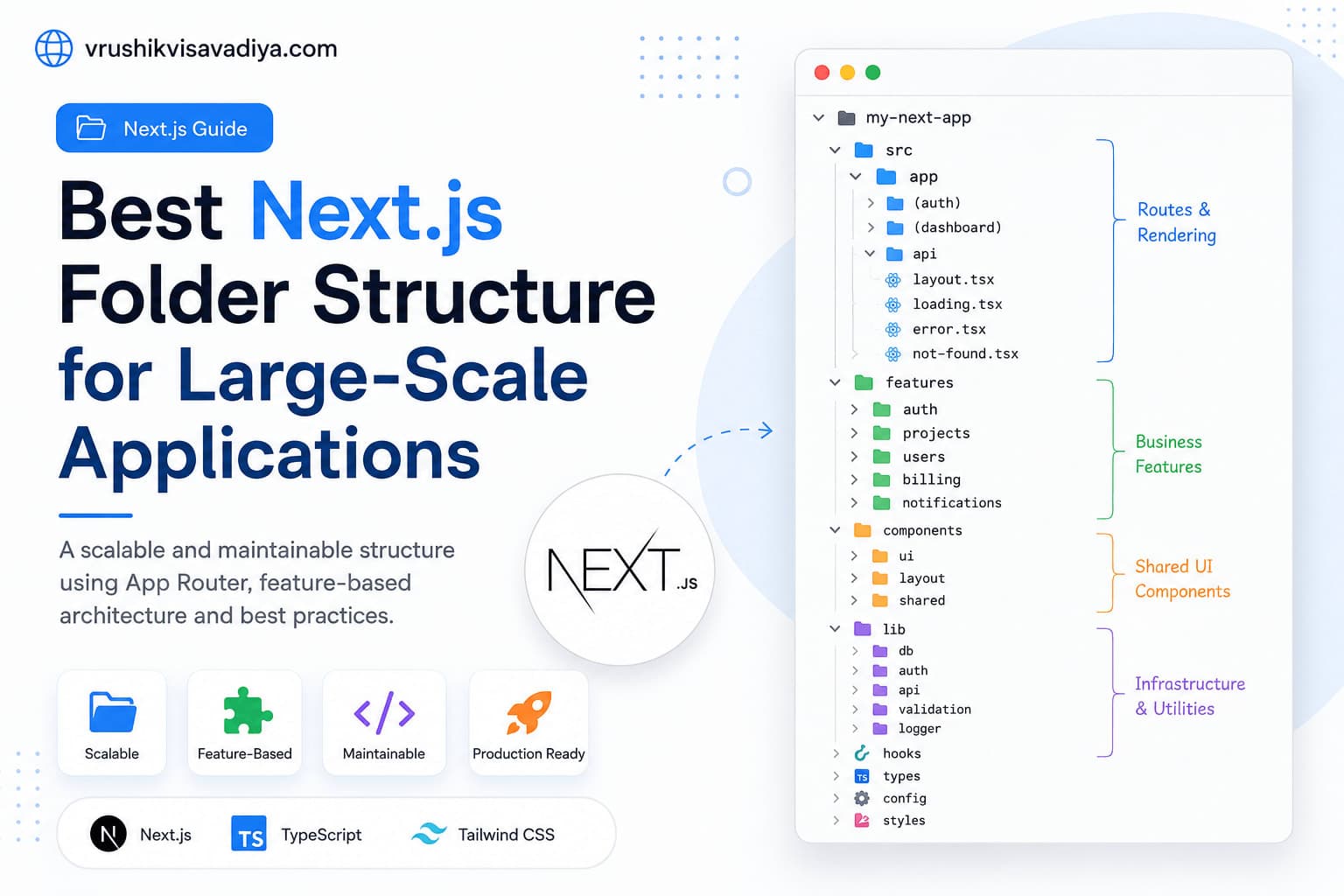
Best Next.js Folder Structure for Large-Scale Applications
A scalable and maintainable Next.js folder structure using the App Router, feature-based architecture, Server Components, shared UI, and clear separation of business logic.
Understanding TypeScript Utility Types with Real Examples
Learn the most useful TypeScript utility types with practical real-world examples for React, Next.js, Node.js, and MERN applications.